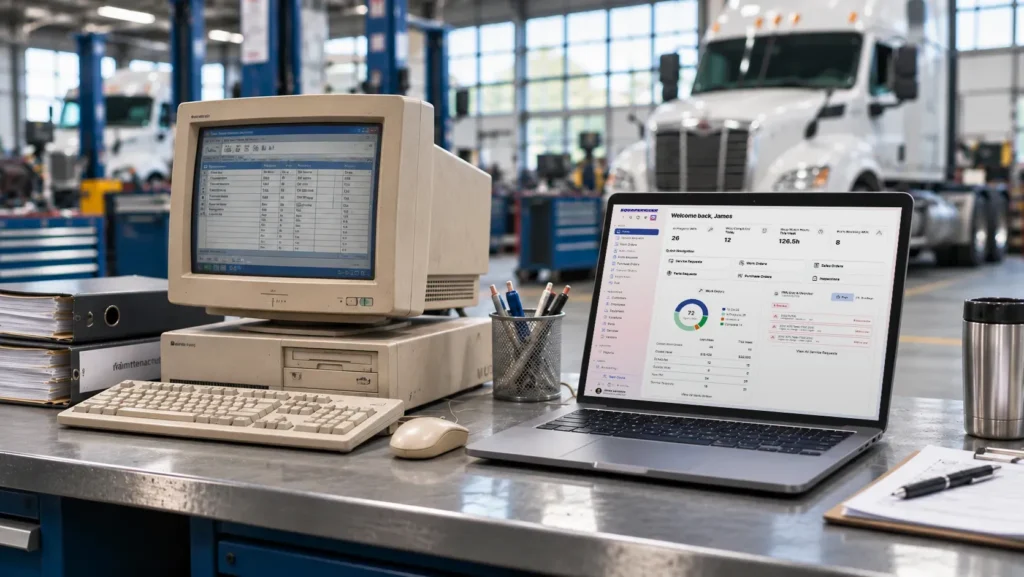
You can leave your old maintenance system without losing your records or stopping the shop. The software is the quick part. Most of the work is yours, and it happens before the new vendor starts its clock and after the vendor’s work is done.
Work through these steps in order:
- Get your data terms from the current vendor before you give notice.
- Put one person in charge of the move, and give that person the hours.
- Sort your records into what moves, what gets archived and what stays behind.
- Clean and map the data while it still lives in the old system.
- Test a small load against trucks you know well.
- Bring technicians in before go-live.
- Cut over one shop at a time, with a date.
- Prove it worked before you retire the old system.
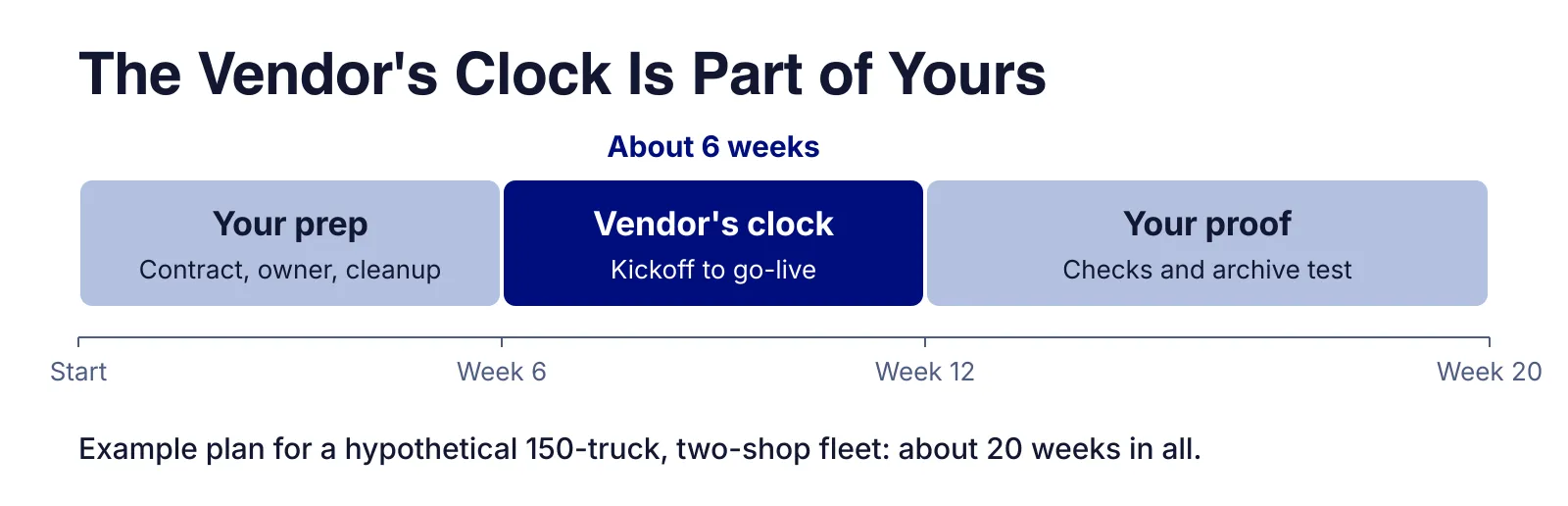
How long does a fleet maintenance software migration take? Vendor guides quote anything from about a week to a few months. The public fleets that have described their moves report much longer totals. Boston took six months, West Palm Beach took more than six, and Anaheim took a year by choice.
Both can be right, because they count different work. A vendor’s clock usually runs from kickoff to go-live. Your contract review and cleanup start before that clock, and your proof that the move worked comes after it. So ask each vendor when its clock starts and stops, and plan your own weeks around it. More shops, more paper, more history, more integrations and other projects running at the same time all add weeks.
This guide walks through each step, then lays out a full plan for a 150-truck fleet with two shops.
Get Your Data Terms Before You Give Notice
You have the most leverage while you are still a paying customer. Your records may also be harder to reach than you expect. Brian Horinka of the City of Minot described his shop’s 1980s system in a vendor case study: “We could put data in but couldn’t get it out in any usable fashion to help me manage my shop.”
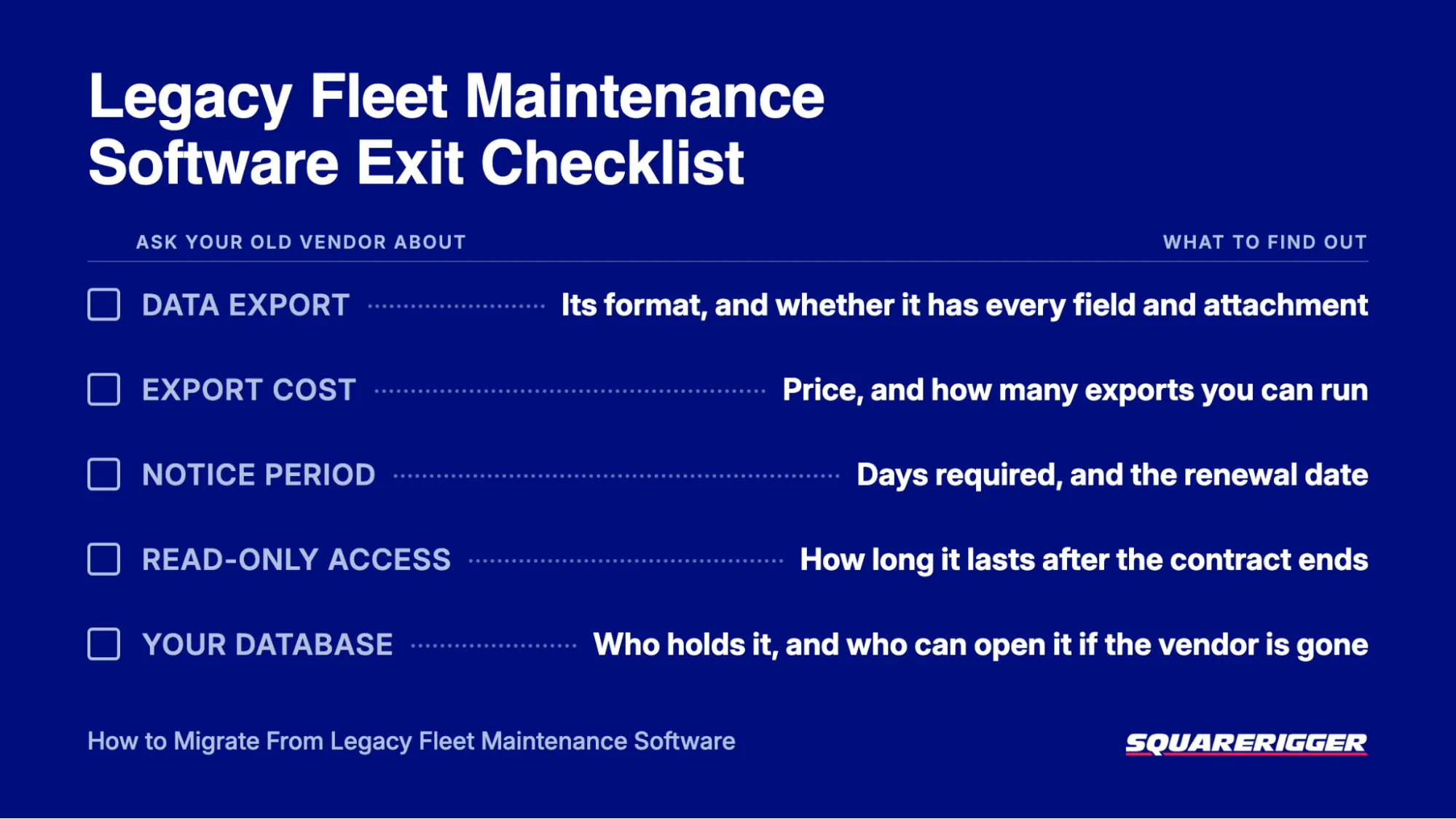
Before anyone mentions a switch, read your contract and get answers to these questions in writing:
- What format does an export come in, and does it include every field and attachment?
- What does an export cost, and how many can we run?
- How much notice does the contract require, and when does it renew?
- Can we keep read-only access after the contract ends, and for how long?
- Who holds the database, and who can open it if the vendor is gone?
- When does support end for the version we run?
Ask about repeat exports in particular, because you will likely need them. One fleet software vendor warns that migration data “will need to be gathered more than once” during testing. If the answers come back slow or expensive, put that cost in your budget now and tell your new vendor before you sign.
If your current vendor is moving you to a new version anyway, treat that as a migration too. At Summers Trucking, the old on-premise system “also needed a move to the web,” so the VP of Operations compared several systems before choosing one. You will be doing much of the same work either way, so compare your options while you can.
Put One Person in Charge of the Move
The move needs one owner, or it will keep losing to the day’s work. Mario Guzman of West Palm Beach ran his fleet’s move while running the fleet. He worked in spurts, a few hours every week or so, and had trouble remembering where he had left off. His advice to anyone in that seat is at least an hour a day. Anaheim dedicated a project manager to its move.
Give your owner the authority to settle arguments about names and codes. Then assign a data owner for each record type, such as your parts lead for parts.
Get your new vendor’s dates in writing too. Boston’s Matt Bradley described the deal that kept his project moving: “They agreed to have modules built by a certain date as long as we provided them data by a certain date.”
Watch what else is changing that year. McNay Truck Line rolled out its maintenance system while it moved its TMS and accounting to McLeod, rebuilt its general ledger and moved into a new shop. If you can, finish one of those projects before you start the next. If you can’t, settle your general ledger structure before anyone maps maintenance costs to it.
Decide What Moves, What Archives and What Stays Behind
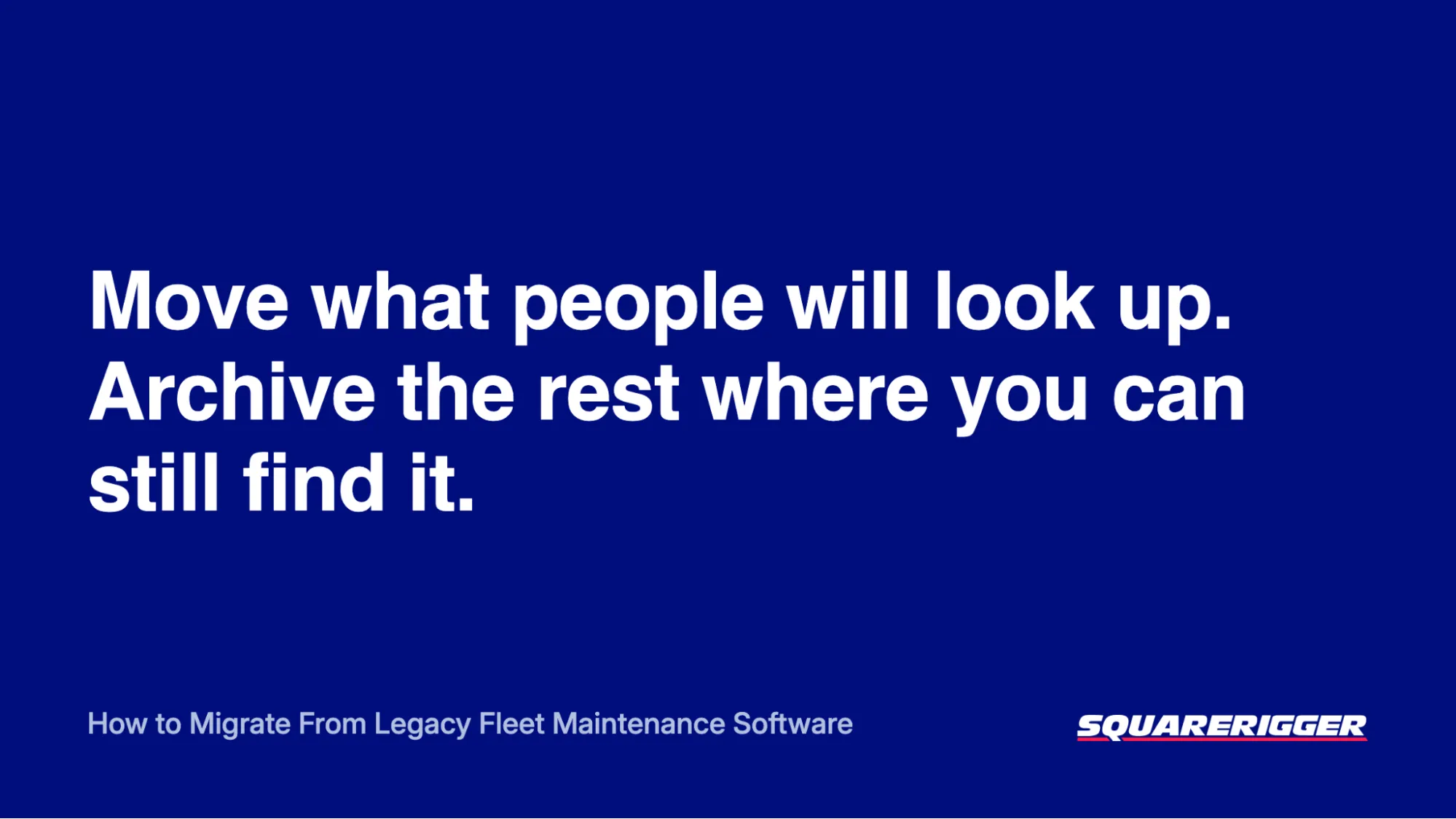
Vendors disagree about history. One argues that three to five years is enough for most analysis, while another tells the story of a plant that moved 80,000 work orders. Move what people will look up. Archive the rest where you can still find it. Ask what your technicians, warranty clerk and finance team look up, and how long you keep a truck.
| Record | Starting point | What to watch for |
|---|---|---|
| Assets and VINs | Move, after cleanup | Units you sold or parked years ago |
| PM schedules | Move, with last-done date and meter by unit | A reset interval that makes an overdue truck look current |
| Open work orders | Close what you can, move the rest | Labor and parts already on the job |
| Warranty coverage and open claims | Move | Claims still waiting on reimbursement |
| Active parts and vendors | Move | Duplicates, and stock counts that have drifted |
| Recent closed work orders | Move, if the new system can report on them | Old codes that won’t line up with new ones |
| Older closed work orders | Archive | Long-held units you still make decisions on |
| Old DVIRs and inspection reports | Archive until the retention period ends | Finding a record by unit and date |
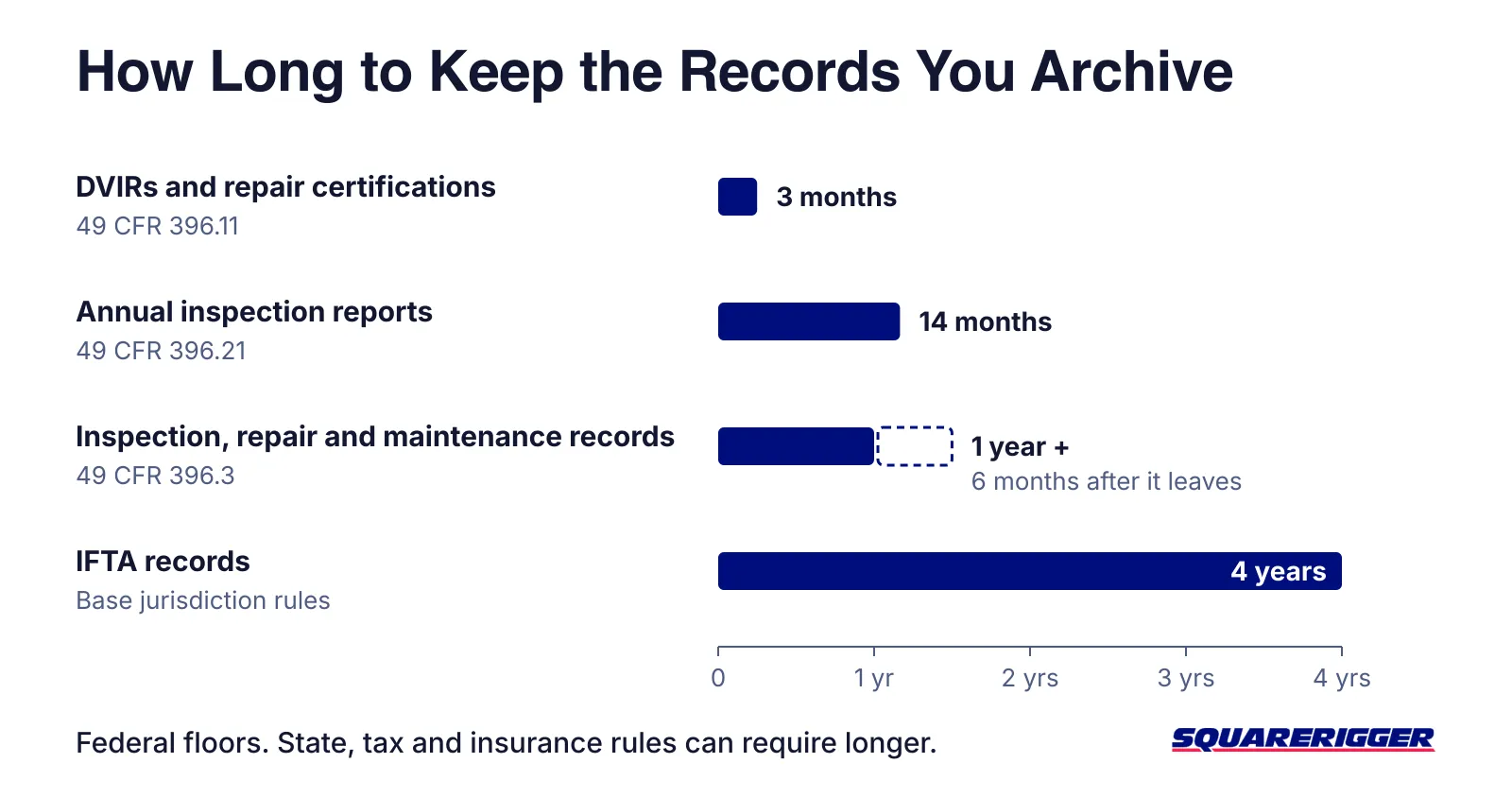
Check retention before you throw anything away. These federal and tax rules set the floor:
- Inspection, repair and maintenance records: 1 year, and for 6 months after the vehicle leaves your control.
- DVIRs and repair certifications: three months.
- Annual inspection reports: fourteen months.
- IFTA records: four years, with details set by your base jurisdiction.
- Asset records: until the tax limitations period ends for the year you dispose of the asset.
Electronic copies count, as long as you can produce them. A 2026 federal rule made it explicit that DVIRs may be kept in electronic form. State rules, insurers and open claims can require longer, so confirm your list with your accountant and counsel.
Clean and Map the Data While It Still Lives in the Old System
Old systems can hide bad data for years, and a new system can put it in front of everyone. West Palm Beach found that the same vehicle “could be classed as F-150, or half-ton pickup, or just pickup truck.” At Tucker Freight Lines, a for-hire carrier with more than 300 power units, the team manually verified data for over 1,500 pieces of equipment and corrected meter readings on more than 300 power units.
Work through the records in this order:
- Assets: Confirm each unit is still in the fleet, then pick one naming rule.
- Meters: Correct bad readings, because PM triggers depend on them.
- PM schedules: Confirm the last-done date and meter for each unit.
- VMRS codes: Map your old codes once, and start with the codes you use most. Recode closed work orders by hand only if you will use them.
- Parts: Merge duplicates and fix part numbers.
- Vendors: Keep the ones you still use.
Turn off what you don’t need while you are there. Superior Bulk Logistics had to go back and deactivate VMRS codes it wasn’t using, including codes for school buses.
Then list every field your shop fills in today, including custom ones, and find its home in the new system. A date with nowhere to go ends up on a whiteboard or in a side spreadsheet, and the old mess starts again. Ask the new vendor to show you where each field lands before you sign off on the mapping.
“It’s a lot of work but in the end, you’re basically starting with fresh data,” Bradley said of Boston’s cleanup. Boston also used the move to add fields it had been missing, such as engine model and fuel type.
Test a Small Load Before Anyone Depends on It
A small test is your cheapest chance to catch a bad load. Boston’s Bradley had already been through one of these moves, and he still wished the fleet had focused more on testing.
Load a handful of trucks you know well: your newest, your oldest, one with an open warranty claim and one in the middle of a repair. Then have a technician and someone from finance check them against the old system:
- Does the next PM come due on the right date and meter?
- Is the repair history on the right unit?
- Does the open job show the right labor and parts?
- Is the warranty coverage there?
- Does a cost report match the same report from the old system?
Test the hardware in the same week. Put the tablets, scanners and label printers your shop will use in front of the new system before go-live day.
Connect integrations one at a time, and run a small sample through each. Telematics is a sensible early connection, since your PMs depend on those meter readings. Collect each provider’s login or API key ahead of time, because your telematics provider may have to issue it.
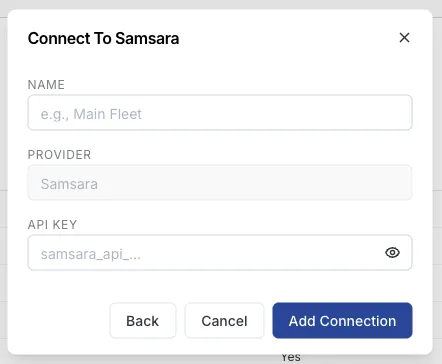
At Summers, the VP of Operations connected Motive with steps from the Squarerigger team, and an early time zone problem was fixed.
You may not need every integration on day one. Minot went live about two months before its interfaces were finished, and Horinka called it “the best decision we could have made,” because the time in the system showed what his team needed to extract.
Bring Technicians In Before Go-Live
Your reports come from what gets entered in the bay. Ron Lindsey of Anaheim put it plainly: “as much as you think you’re an expert, the technicians on the floor know more about writing work orders than you probably do.” So show them the work order screen before you finish setting it up, and ask your most skeptical technician to try it first.
Test ease of use early. At Summers, the techs saw the old system as “slow, tedious work.” The VP of Operations chose screens he judged simple enough that his senior technicians could make the change too.
Say plainly what the system tracks and why. David LeBlanc, a corporate systems trainer at Miller Waste Systems, named the worry in a vendor write-up: “the fear that we are trying to observe them in their day-to-day, hourly basis.”
If you are adding tablets, consider doing it at the same time. Anthony Lee, a heavy-duty mechanic for the City of Vancouver, B.C., said the timing meant “we only had to conduct training once.” Train on your own trucks, on each shift, and keep a short guide with screenshots in the shop, as Boston did.
Plan for help after the first week, too. Some people will need more time than a three-day training block gives them. At Summers, the fleet manager had never used Word or Excel, and the Squarerigger team trained him step by step.
Cut Over One Shop at a Time, With a Date
A pilot limits the damage if something goes wrong. Superior Bulk, with 36 shops, started at two terminals, and its advice is simple: “Let it run in a couple of terminals and work the bugs out first.” With one shop, start with a smaller group, such as the trailer bay. Expect each group to move at its own pace. At McNay, the trailer shop learned the new system fast, and the tractor shop needed more time.
For cutover day itself:
- Set the date. Pick a slower day and tell everyone what stops and what starts.
- Close what you can. Finish as many jobs as possible that week.
- Move what’s left. Enter each remaining job in the new system, with its labor and parts so far, and have one person check the list.
- Capture meters. Run the final export and record current readings.
- Count parts last. As Squarerigger’s Jay Stone advises for inventory work, “Enter your work orders before you finalize inventory counts, or your data won’t line up.”
- Lock the old system. Make it read-only from go-live, and keep paper work orders handy as a fallback for the first days.
Should you run both systems at once? LAD Trucking did for two months when it changed its TMS: “Everything we put in the old system, we put it in the new system.” Its vice president called that “a little extra work.” In a shop, that typing falls on the people you need on the trucks. If you want an overlap, keep it short, limit it to a few trucks and name who does the entry. Decide which system counts as the record each day, so nobody has to guess.
Prove It Worked Before You Retire the Old System
A finished data load shows only that the data arrived. In 2015, Richmond’s city auditors would not use their fleet system’s data to evaluate labor efficiency, citing its unreliability, years after the system arrived.
Check these over at least one full cycle of your most common PM:
- Do closed work orders match the jobs your shop did?
- Are technicians clocking time to work orders on each shift?
- Is any unit overdue that the old system had current?
- Does a parts spot count match the system?
- Does the month’s maintenance cost tie to your general ledger?
Then test your archive before you end the old contract. Pick a truck, and find its repair records and last annual inspection. Federal rules say electronic records don’t qualify if they “cannot be accurately reproduced within required timeframes,” so an export nobody can open won’t help you. Once that test passes, you can retire the old system.
Plan the Move for a 150-Truck, Two-Shop Fleet
Here is how the steps could fit together for a hypothetical private fleet with 150 trucks, 200 trailers, a tractor shop and a trailer shop. The fleet has eight technicians, an old on-premise system and a contract that renews in eight months with 60 days’ notice. The weeks are a planning assumption, so swap in your own vendor’s dates.
| Weeks | Who leads | Work | Done when |
|---|---|---|---|
| 1–2 | Fleet | Contract review, test export, owner and data owners named | Export terms in writing |
| 3–6 | Fleet | Sort records; clean assets, meters, PMs, VMRS, parts and vendors; map fields | Every field has a home |
| 7–8 | Vendor and fleet | Kickoff, test load on six known trucks, telematics connected | Test trucks match the old system |
| 9–10 | Vendor and fleet | Training on each shift, trailer shop goes live | Trailer jobs closed in the new system |
| 11–12 | Vendor and fleet | Tractor shop goes live, parts counted, old system read-only | One system of record |
| 13–20 | Fleet, vendor supports | Go-live checks over one PM cycle, accounting link, archive test | Checks pass and the archive opens |
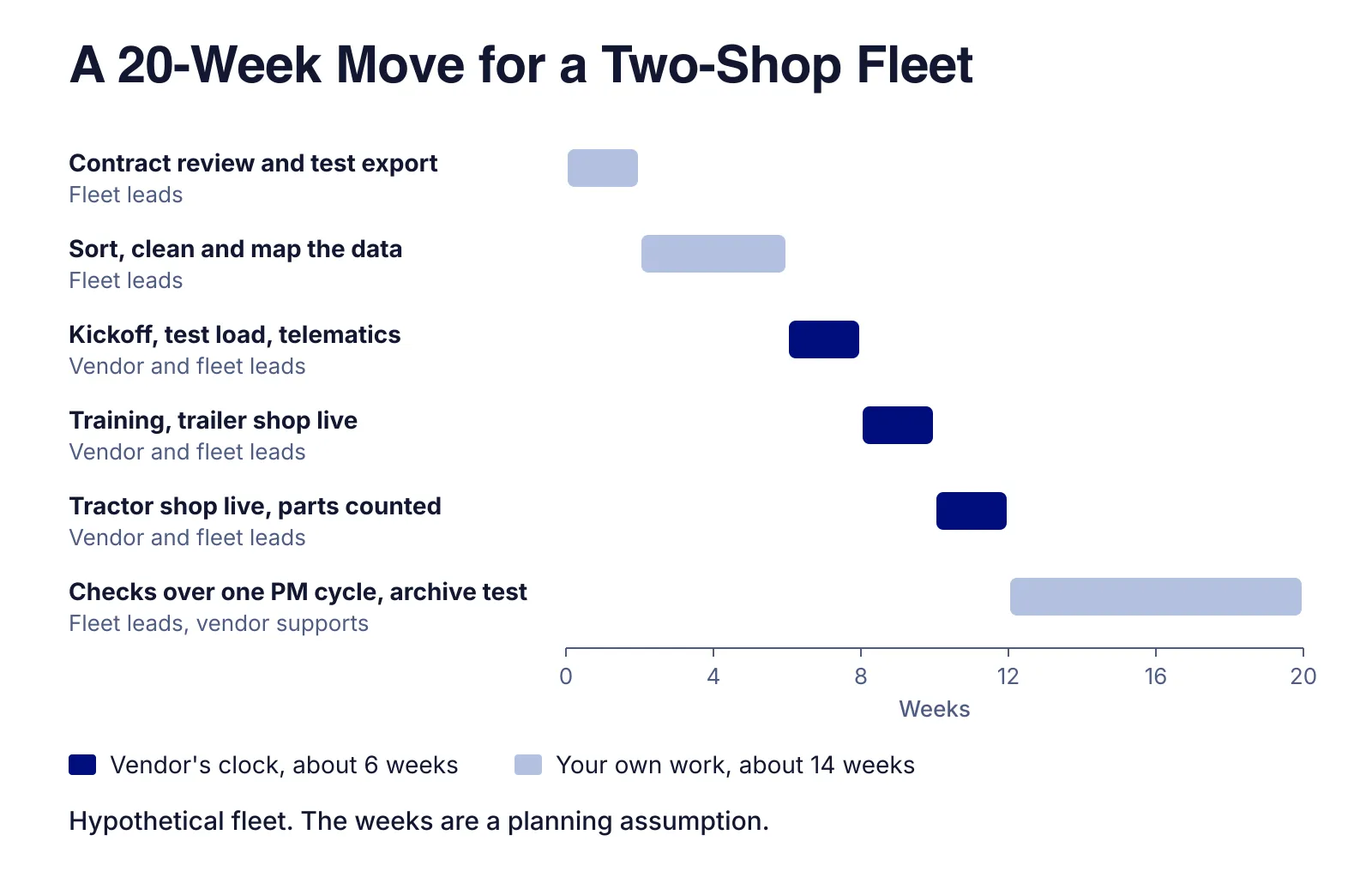
In this plan, the vendor’s part runs about six weeks. The whole move runs about 20, and 14 of those weeks are the fleet’s own. The fleet leads the checks, but the vendor should still answer questions during them, so ask who you can call in weeks 13 to 20. At Summers Trucking, the VP of Operations put it this way: “Squarerigger said they put a white glove approach to onboarding and training, and they’ve definitely lived up to that.” The fleet gives notice once the archive test passes, about six weeks before its notice deadline.
The accounting link waits until both shops are live, so the first weeks of costs can be checked by hand against the general ledger. The old contract runs until the archive opens, so the fleet never depends on records it can’t reach.
Ask Each Vendor How Its Move Runs
Take this guide into each vendor meeting, and ask who does what. You still decide what moves, who cleans it and when each shop goes live. The right vendor can take the import, the training and much of the setup off your hands. Ask each vendor to show you:
- When its clock starts and stops, and what your team has to finish first
- Which records it imports, and how many test loads it runs
- Where each of your current fields will live
- The order it connects telematics, accounting and your TMS, and what you need from each provider
- How training works for each role and shift, and what help looks like after the first week
- Every fee that sits outside the subscription
At Squarerigger, onboarding runs from kickoff to data migration to role-based training, and the team helps import your data. Full rollouts typically take two to six weeks, depending on how complex the operation is. The team scopes the rollout with you before implementation begins, and any implementation, integration or data fees are scoped upfront.
Squarerigger’s focus is ease in the bay. Starting the clock on a service takes one tap, and the clocks and parts technicians log there are what make your reports right.
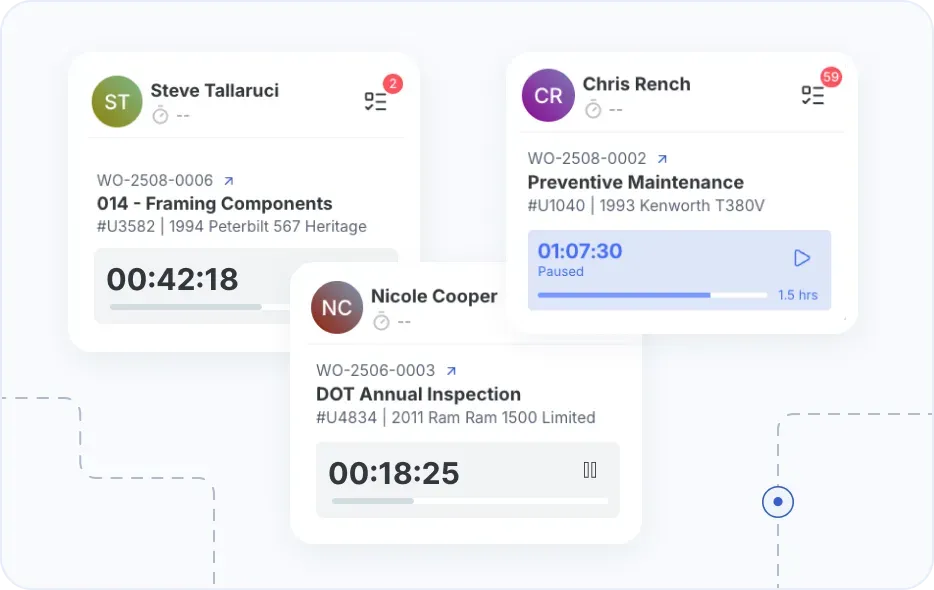
At Summers, the techs who saw the old system as slow now scan parts into the work order, finish the entry fast and go back to the trucks.
“Changing a software system in any operation… is quite an undertaking. So I was obviously not jumping up and down with joy that that’s something that we had to do… But once I saw what Squarerigger had to offer, it made it pretty easy to make that change,” said Luis Gonzalez, VP of Operations at Summers Trucking.
To see how your records would come across, book a walkthrough.
Frequently Asked Questions
How long does it take to migrate fleet maintenance software?
A fleet maintenance software migration can take a few weeks to a year, depending on what you count. Vendors often quote weeks from kickoff to go-live, while public fleets took six months to a year for whole projects. More shops, paper records, history, integrations and other projects running at the same time all add time.
Should you migrate all your work order history?
You likely don’t need every old work order in the new system. Move what people will look up, and archive the rest where you can still find it. Vendors disagree on how many years to move, so base the decision on your own use and your retention rules.
How long do you have to keep fleet maintenance records?
Federal rules set the floor: inspection, repair and maintenance records for 1 year, and for 6 months after a vehicle leaves your control. Keep DVIRs for three months and annual inspection reports for fourteen months. Tax, IFTA, state and insurance rules can require longer, so confirm with your accountant and counsel.
Should you run old and new fleet software at the same time?
A short overlap can catch errors, but full double entry takes technicians away from the trucks. If you run both, limit the overlap to a few trucks and a set time, and name who enters the data. Decide which system counts as the record each day.
Can you switch fleet maintenance software without downtime?
A shop can keep working through a switch, though it will slow down while people learn the new screens. Cut over one shop or one group at a time, close what you can before cutover day and keep paper work orders as a fallback. Plan for the slowdown, and tell the shop and dispatch it’s coming.
What should you ask your vendor before switching fleet maintenance software?
Ask your current vendor what format an export comes in, what it costs and how many you can run. Also ask about notice periods, renewal dates, read-only access, who holds the database and when support ends for your version. Get the answers in writing before you give notice.
What moves in a fleet maintenance data migration?
Vendor guides commonly list asset records, PM schedules, parts, vendors, open work and service history. What transfers depends on the old system’s export and the new system’s fields. Test a small load before you rely on it. Squarerigger is one example, with its team helping import data during onboarding and any fees scoped upfront.